
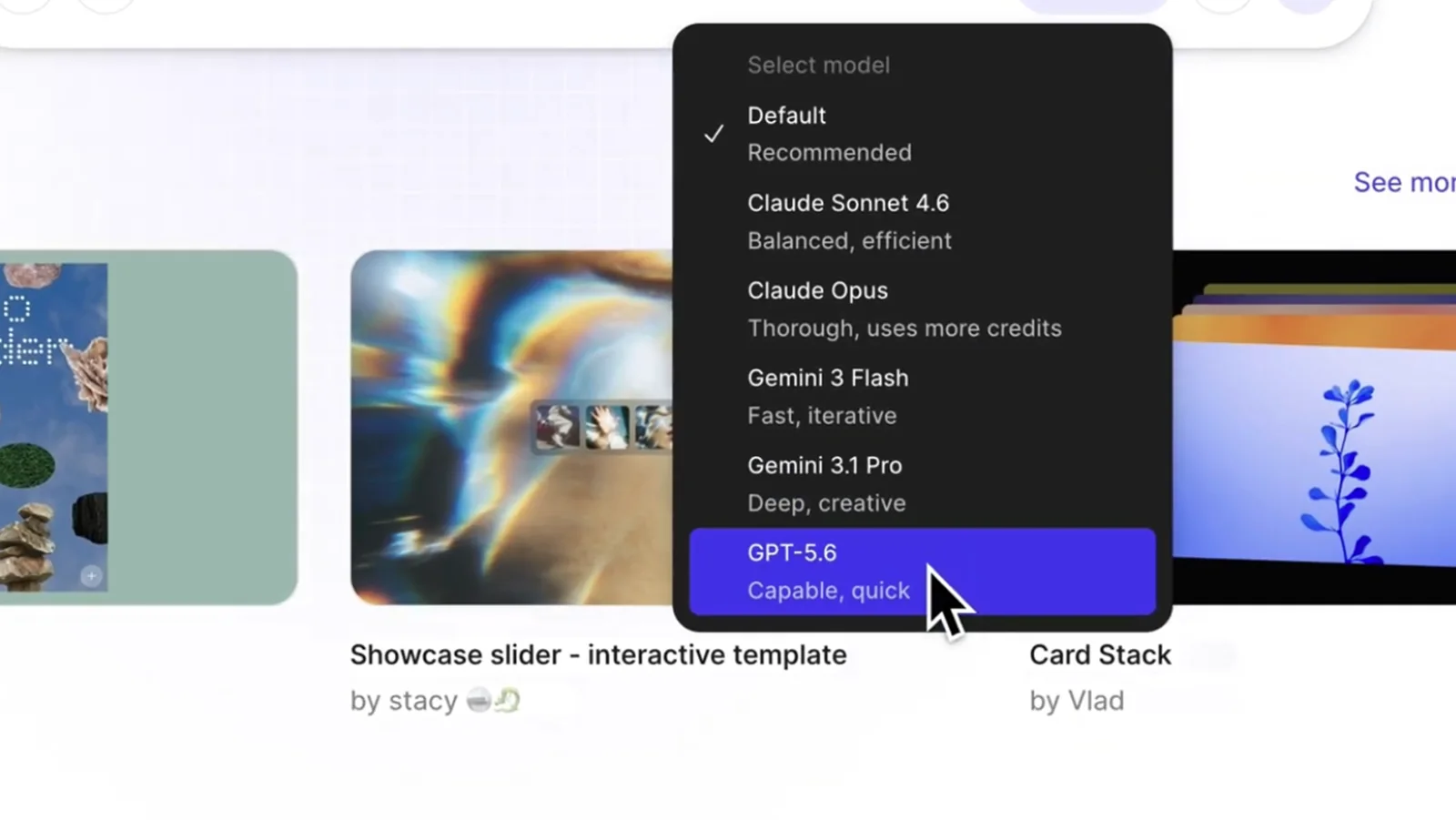
Figma added GPT-5.6 to Figma Make on July 9, giving teams another model for turning prompts and design context into interactive prototypes and code.
The company says its internal evaluations found stronger first passes across interface quality, responsive behavior, and interaction fidelity. GPT-5.6 is available through the model selector in Make on all plans.
A focus on the first working version
Figma’s examples cover three common prototype jobs: building a data-heavy interface from a prompt, converting an existing design into an interactive experience, and creating a responsive product page with working controls.
The model can also continue investigating when a build fails. Figma describes a test where GPT-5.6 traced a blank result to its source and repaired the build without requiring the user to restart the process.
Design context remains the differentiator
A capable model can produce more in one pass, but Make is most valuable when the prompt is connected to an actual design, component set, or product constraint. Figma’s sound-player example retained hierarchy, proportions, styling, and working media controls from the supplied design.
That context helps a prototype begin closer to a team’s visual intent. It also gives designers and stakeholders something concrete to test earlier, before implementation decisions become expensive to reverse.
Faster does not mean finished
A polished prototype still needs review for accessibility, content accuracy, edge cases, performance, security, and maintainable code. Model selection changes the speed of exploration, not the responsibility for the released product.
The useful news is that design-to-prototype systems are becoming better at preserving intent while making the result interactive. Teams can spend less time reaching a first testable state and more time deciding whether it is the right state.