A dashboard can contain useful charts and still leave someone unsure what to do next. For a SaaS product, begin with the task that brought the person into the workspace. The overview, navigation, editor, and activity record should help that task move forward.
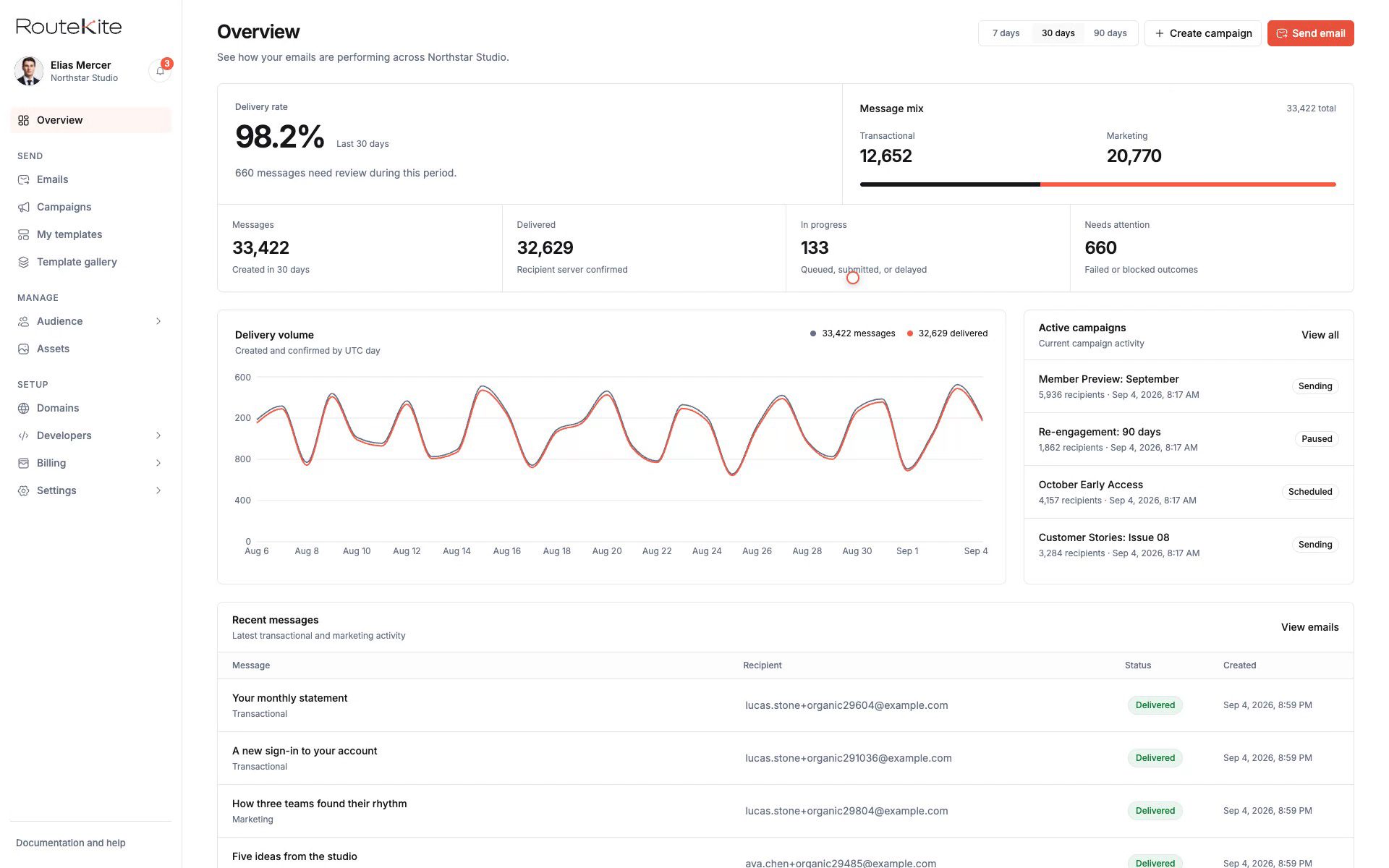
Our RouteKite case study follows campaign preparation, template editing, and message history. Our Signlume case study separates an editable signature from the output prepared for installation. Both show why the states around a task deserve as much design attention as the main screen.
Start with roles and the objects they work on
Before laying out a dashboard, list the people who use it, the objects they create, and the actions they are allowed to take. A campaign, contact list, template, draft, and published output have different purposes. Give each a clear name and place in the product.
RouteKite gives marketers a campaign console and developers a route through the API documentation. They share sending setup, contacts, templates, and message history, while their starting tasks remain distinct. Signlume documents owner, admin, brand manager, member, and viewer roles. Those distinctions affect what the interface must explain and allow.
Use an action map in the brief: who can view, create, edit, approve, publish, and remove each object? Agree what happens when access changes while someone is working. A hidden button is only one part of an access decision; the underlying operation needs the same rule.
Make preparation, review, and the final action distinct
In RouteKite, the campaign flow moves through setup, audience, content, review, and send. The review step brings the choices together before the final action. This structure gives a person a place to check what will happen and which recipients are involved.
Signlume makes save, publish, and install separate steps. A draft can be edited without silently replacing a previously published signature. The preview has its own role: checking the result against the constraints of the email app where it will be used.
For your product, identify the action that changes something outside the editor. It could send a message, grant access, create an invoice, or publish a page. Put the relevant context beside that action, and provide an understandable record after it completes.
Show the actual state of the work
A label such as complete can be misleading when several systems are involved. RouteKite's message history distinguishes accepted, queued, and provider-reported delivery. Each state answers a different question. A delivery report does not establish inbox placement or that someone read a message.
Write down the states your product can actually know. Include waiting, in progress, failed, partially complete, and awaiting a person where appropriate. Connect each state to a useful next action or an explanation of why there is no action yet.
Do the same for empty screens. A new workspace with no records needs a starting path. A filter with no matches needs a way to revise the filter. A person without permission needs an explanation appropriate to their role. These situations can share components while retaining their different meanings.
Design recovery before users need it
Signlume keeps drafts, template versions, and published signatures separate. Its case study describes unsaved-work warnings, local recovery, and recovered work opening as a draft. These decisions make the meaning of saving and publishing more predictable.
For a new web app, agree which work can be recovered, what version is being edited, and which actions can be undone. Review refreshes, session expiry, failed requests, and repeated submissions. The interface and the data model need to describe the same recovery rules.
A clear handoff records those rules with the screens. A developer should be able to tell which change is local, which has been saved, and which has produced a published result without guessing from a button label.
Check the result in the environment where it is used
Signlume's browser editor produces a signature intended for email apps, where layouts, images, and colors can behave differently. Its flow includes narrow-layout, dark-mode, blocked-image, and plain-text previews, followed by installation guidance and a real test message.
That suggests a useful release question for any SaaS product: where does the result go after someone leaves the dashboard? A downloadable report, shared link, email, or exported file should be reviewed in its actual destination. The dashboard's success message is only one part of that acceptance.
What to include in a SaaS design brief
Bring the workflow and its rules to product design and UI/UX planning. Once the core decisions are clear, web application development can connect the interface to the required data, integrations, and release process. These details help both teams agree a realistic scope:
- The people, their roles, and the task each needs to finish
- The objects they create and the actions allowed on each
- Draft, saved, reviewed, and published states
- The final action and any confirmation it needs
- Failures, recovery rules, and a record of what happened
- The destination of the result and acceptance in that environment