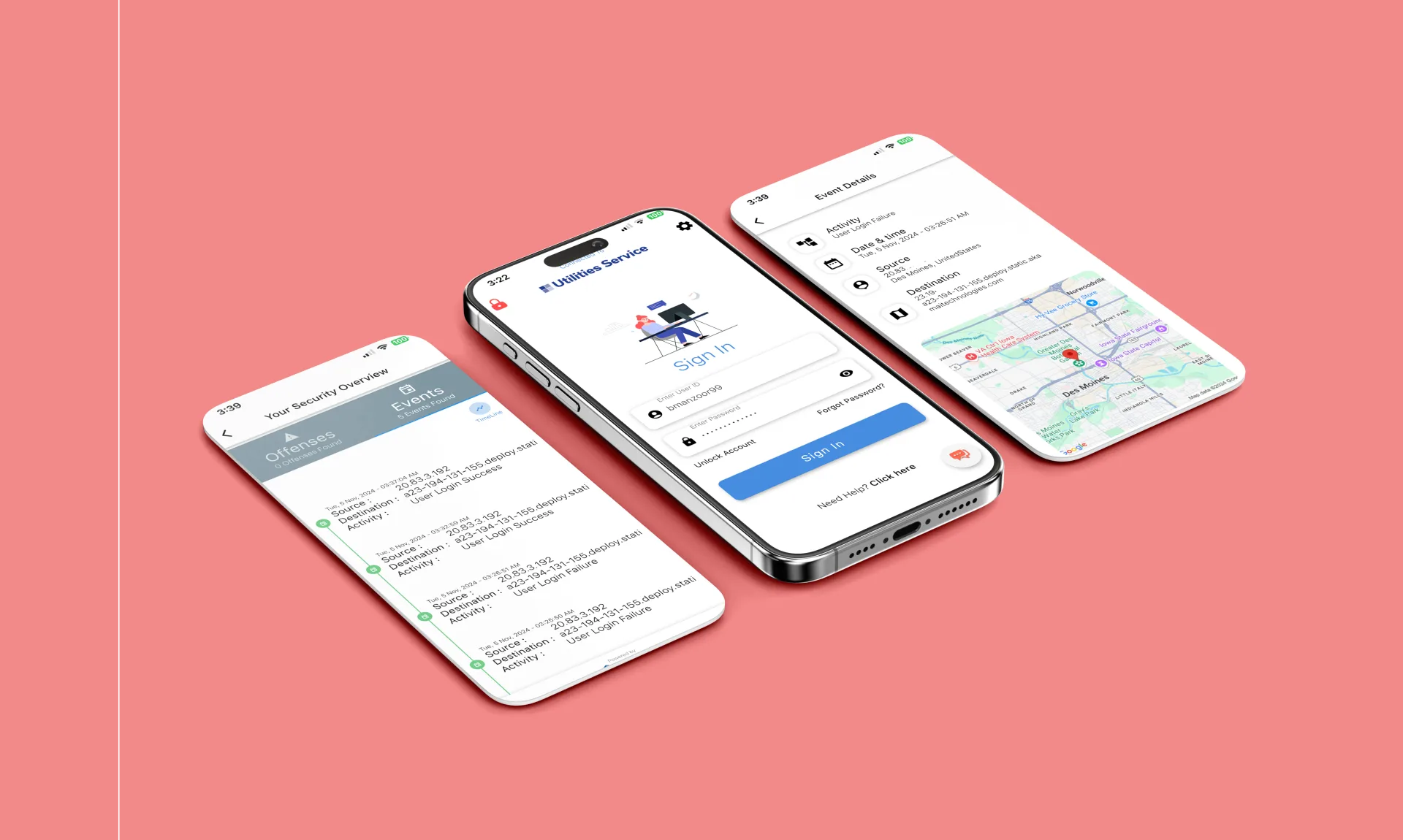
Connected communication
Chat, translation, spoken conversation, learning, and profile choices share one clear product language.
A multilingual communication app that keeps translation, voice, learning, and social context inside the conversation.
What we made, why it mattered, and how it came together.
AnyLingo helps two people keep talking when they prefer different languages. Original messages, translations, replies, and audio stay together, so the conversation still feels like a conversation.
The product goes beyond chat. People can translate text, recordings, files, media, and camera input, speak turn by turn or in a live session, choose a voice, join groups, and explore learning through books, teachers, video, live practice, and comics.
Our work was to make those different experiences feel connected. The same language choices, familiar controls, and clear ways to continue follow the user from one part of the app to the next.
Chat, translation, spoken conversation, learning, and profile choices share one clear product language.
People can take deliberate recorded turns or move into a continuous live conversation.
Text, voice, files, media, and camera captures can enter the same translation workspace.
Long comic lessons save progress so completed work can be picked up again.
Translation becomes tiring when people must copy content between separate chat, transcription, translation, and playback tools. AnyLingo needed to keep the source, meaning, reply, audio, sender, and context in one place.
The app also coordinates permissions, recording, translation, live audio, uploads, notifications, purchases, and saved work. Those moving parts had to feel calm and predictable on screen.
What we had to balance
Powerful tools versus a familiar chat experience
Quick feedback versus network and media delays
Helpful defaults versus clear user control
Expressive voice features versus consent and privacy
Rich media versus battery, data, and accessibility
Our approach
Every path starts with the same simple arc: share something, understand it, and respond. Chat protects continuity, Lingo accepts different inputs, Convo supports spoken turns, live mode supports an ongoing session, and Learn turns personal interests into practice.
Language pairs, voice choices, playback preferences, and saved content carry across the app. Longer tasks show progress and save useful work instead of hiding everything behind a spinner.
People who want translated messages, replies, reactions, and media to stay inside a familiar chat.
People who need quick help understanding text or speech in practical and personal moments.
Teams that want to work across preferred languages without turning every message into a separate task.
People who use books, teachers, videos, live practice, or generated stories to make learning more personal.
Onboarding and saved preferences set the incoming and outgoing languages, theme, and playback choices.
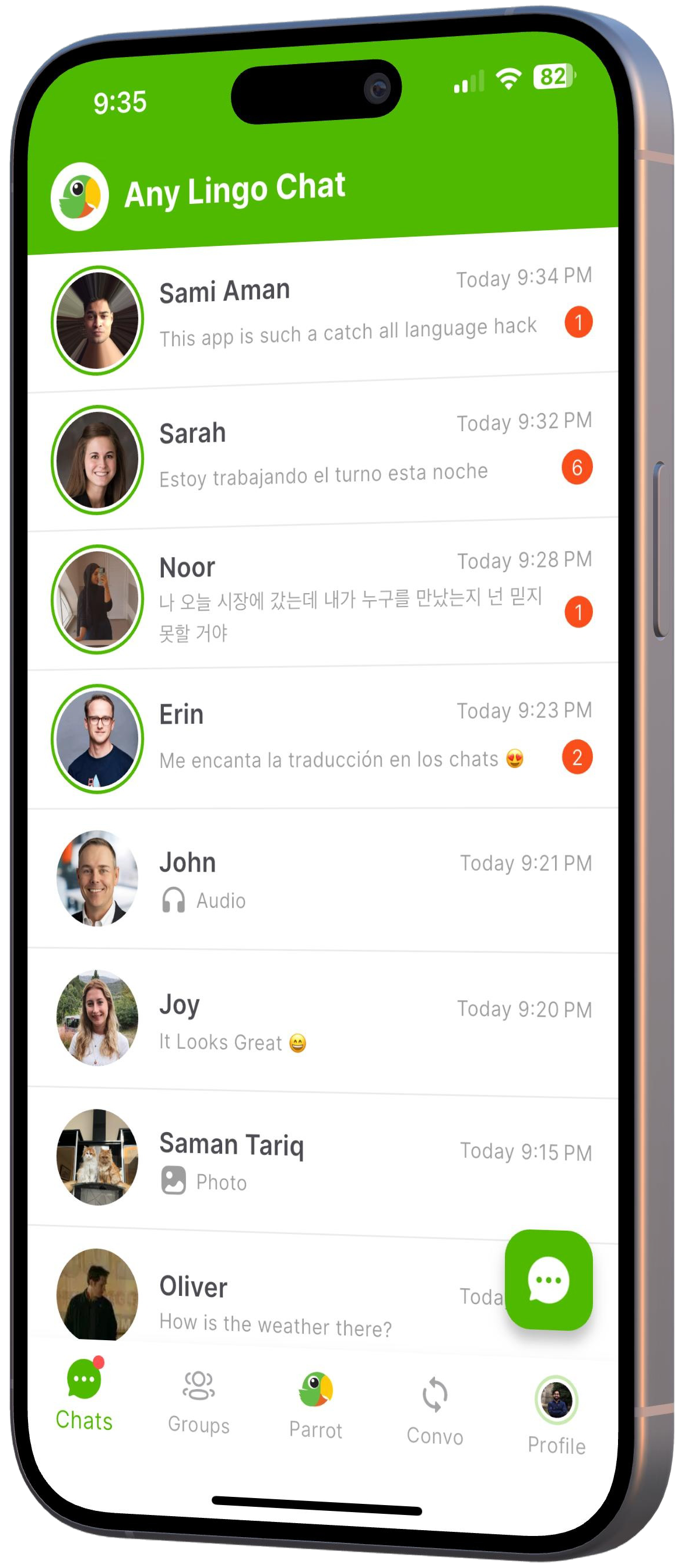
The original message stays visible while its translation appears in the same conversation.
The response is translated for the other person while formatting, direction, and context stay intact.
Lingo accepts text, recordings, files, media, and camera captures, then offers translation and optional audio.
Recorded turns create a readable history, while live mode keeps an active spoken session moving.
Books, teachers, videos, live practice, and comic lessons offer different ways to build confidence.
Saved conversations, preferences, media, and lesson progress help people continue where they left off.
Each feature supports the wider experience instead of standing on its own.
Chat keeps messages, translations, attachments, read receipts, typing, and notifications in one place.
One focused surface handles the main translation inputs without changing how the rest of the app works.
Turn-based and live modes support different situations while sharing the same language choices.
Different learning paths share one welcoming home while keeping their own tools and pacing.
Comic lessons save their plan, completed images, and progress so a long session can be resumed.
Key decisions
DecisionMake the broad translation workspace the central destination in the main navigation.
ReasonIt gives people the quickest route to text, audio, files, media, and camera translation, with chat and conversation close by.
DecisionShow the original content beside its translation.
ReasonNames, tone, punctuation, and context are easier to check when the original is still present.
DecisionGive recorded turns and live conversation their own experiences.
ReasonOne supports review and saved history, while the other keeps a live exchange moving.
DecisionStore comic choices and progress as the lesson is created.
ReasonA closed screen or lost connection should not erase work that has already finished.
Product layout
Chats, Learn, Lingo, Convo, and Profile create a clear map for a broad product. The central action stays easy to reach, and deeper features do not crowd the main navigation.
Multilingual detail
The app carries original writing, translations, language names, pronunciation, audio, and right-to-left scripts. The language pair stays visible so people always know what they are reading and creating.
Generated lessons
Comic styles define a visual mood, palette, character rules, and continuity notes before generation begins. That preparation helps a lesson feel like one story instead of a collection of unrelated images.
Shared foundation
A shared mobile foundation keeps navigation, language preferences, themes, accounts, and feature behavior aligned on both platforms.
Live audio
Live translation coordinates the microphone, the active connection, audio events, and translated transcripts. The screen reflects what is happening instead of treating the call as a hidden process.
Long tasks
Comic generation writes progress as it goes, validates saved images, and reuses completed pages when a session resumes.
Accessibility
Navigation, message actions, audio controls, and learning selectors use clear labels and make the active choice easy to see. Meaning is not left to color or icon shape alone.
Consent
Voice cloning and generated audio can feel personal. The product should explain whose voice is being used, what the action will create, and how a person can change or remove that choice.
Reliability
Saved preferences, media that stops cleanly, cached images, and resumable lessons reduce the cost of a closed screen or unreliable connection.
Brand principle
AnyLingo brings translation into the flow of a real conversation. Its expressive parrot, warm colors, speech-inspired shapes, and multilingual rhythm make the product feel curious, friendly, and open to the world.
Brand artwork
The primary mark is the circular parrot head, with its large eye, green feathers, golden beak, and coral accent. Use the supplied full, simple, and circular versions as they are. Give the mark room to breathe, keep it clear of busy imagery, and never crop through the eye or beak.
#55B938The main website color for optimistic, active moments.
#47A413The main mobile color for navigation and active choices.
#398F28A deeper green for readable accents on light backgrounds.
#DFF3D4A quiet background for translations, cards, and supporting information.
#F5F1E8The warm background used across the website.
#FFFDF8A clean surface for cards, navigation, and generous space.
#163329The main website text, outline, and focus color.
#5D6D65Supporting copy and quiet labels.
#F5C84BA beak-inspired highlight for ribbons and small moments of delight.
#F5BF00A warm secondary action color in the mobile product.
#F27B5AA warm accent for voice, feeling, and human moments.
#2867D7A cool counterpoint for travel, live conversation, and information.
#313131The main mobile dark-mode surface, paired with #2A2A2A for raised areas.
Emotional display lines and editorial chapter turns on the website.
The world has subtitles.
Website body copy, navigation, labels, and buttons.
Follow one message across languages.
Mobile messages, settings, controls, and longer reading.
Read it. Reply naturally. Keep talking.
Voice
Imagery
Applications
Avoid
Motion should show a message moving, preserve continuity, or confirm an action. Keep product transitions short, pause video outside the viewport, respect reduced-motion and reduced-data settings, and make sure the full story still works as a static page.
Screens and design details from the project, with a short note about each view.
The main navigation keeps chat, learning, translation, conversation, and profile close at hand.
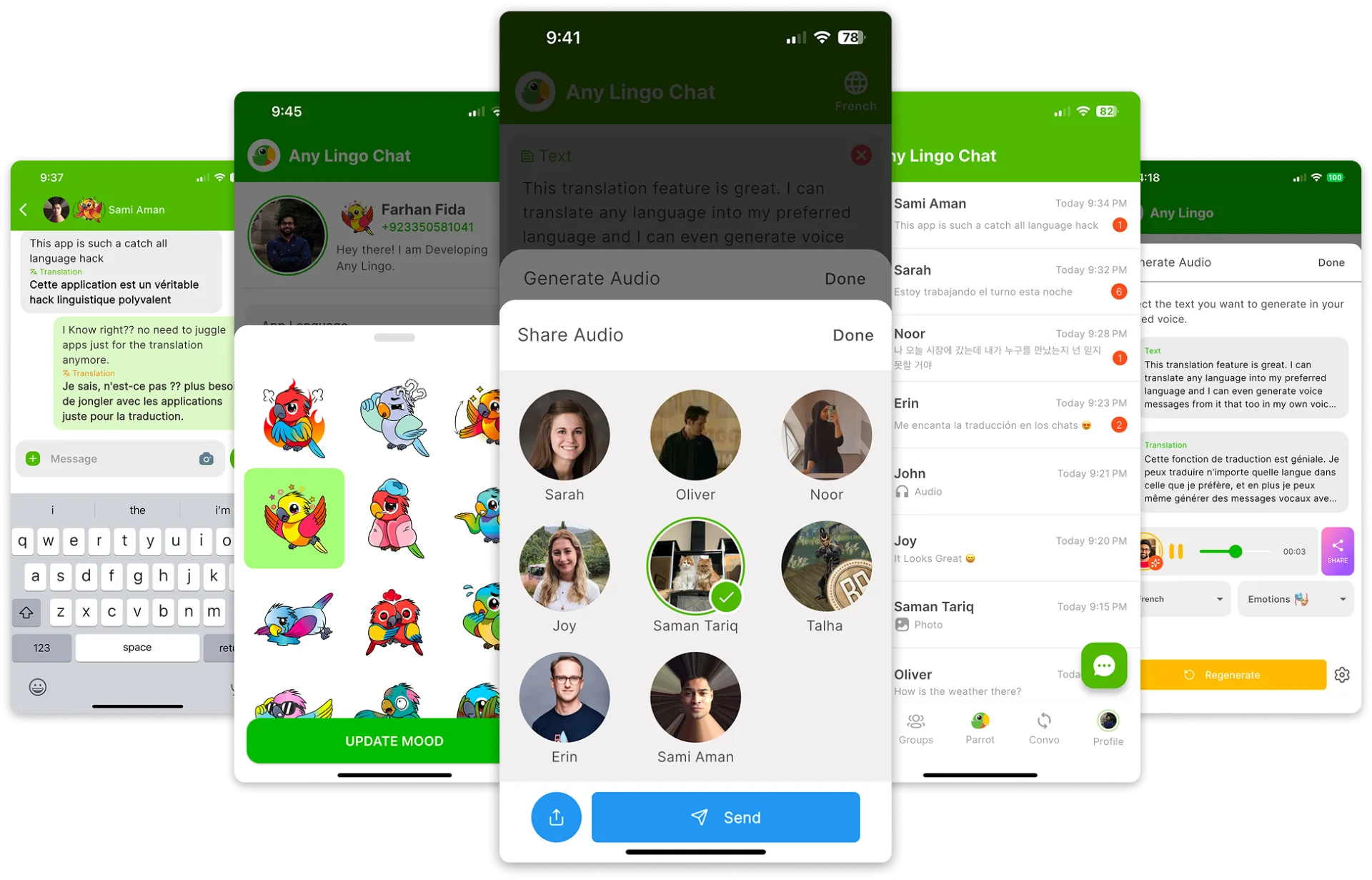
Original and translated messages stay together so people can understand and reply without losing context.
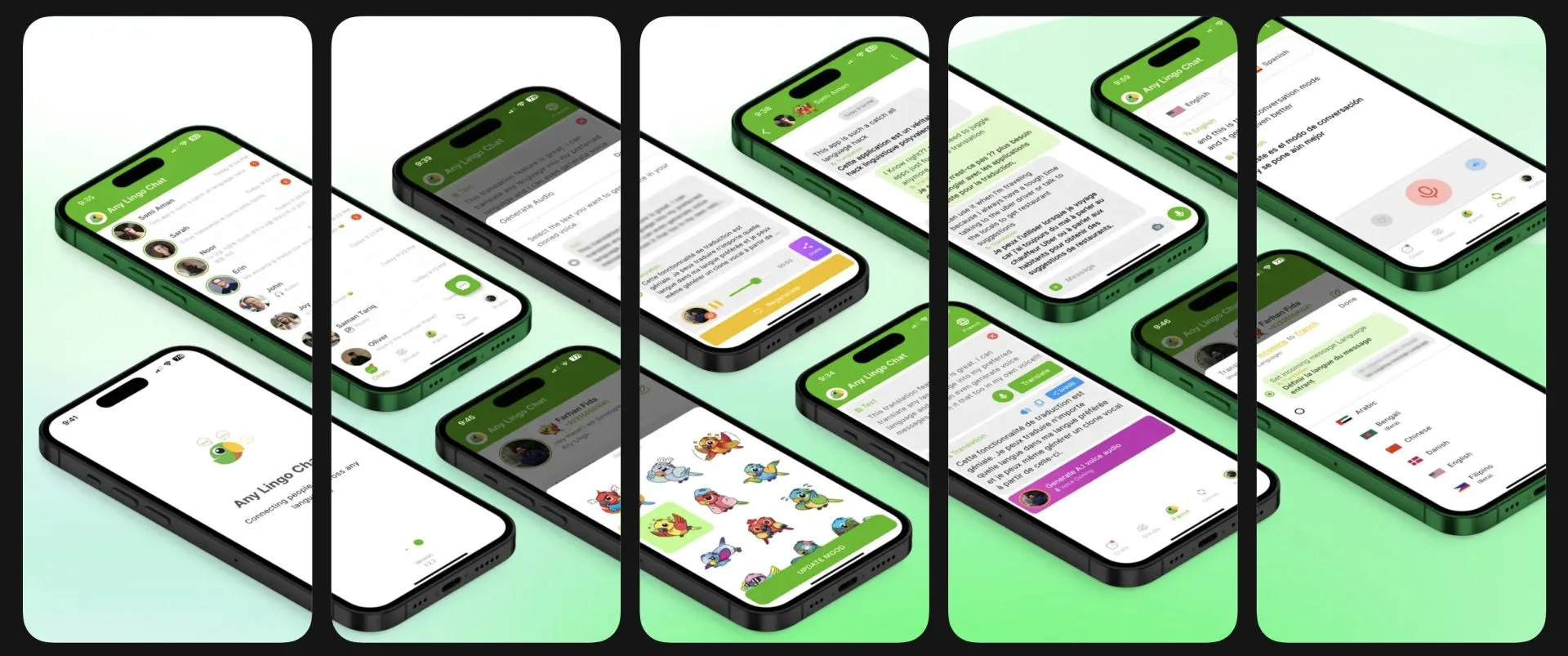
Books, teachers, live practice, video, and personal comic lessons offer different ways to keep learning.
“Core Infinite helped us shape and build a scalable real-time experience for Android and iOS, turning a broad product direction into a coherent application.”
Sami Aman, Founder & CEO, Anylingo LLC
AnyLingo brings messaging, translation, recorded conversation, live speech, voice, learning, and generated lessons into one experience on Android and iOS.
The value is in how the pieces work together. People can choose the mode that fits the moment, keep their language and voice preferences, and return to saved work without relearning the product each time.
What we delivered
Start a project
Share the product, the current stage, and the support you need. We will reply with practical next steps.
Start a project